- Published on
My week in virtualization: Proxmox, pfSense and a lot of DNS
- Authors
- Name
- Bukola Jimoh
- @b_jimoh


This is a rabbit hole, I kid you not. But one in which I'm wilfully embarking on. This is a stopgap during my SAP exam preparation. It's been on my radar for long but who has time for fun things when you have to ...do a real job (work for money)?
That said, one of my most recent roles got me into networking - somewhere between the data link (Layer 2) and network (Layer 3).
As much as I interacted with everything happening at those layers, I've always longed to step back and walk through the fundamentals properly.
So here I am. My goal is to create a minimal virtual environment, similar to what cloud services provide.
What I Need
- Hardware for my lab
- A computer
- A USB stick
- Software for my lab (data centre)
- Proxmox
- pfSense
My Old Acer Machine
Love me a good Windows machine - the hardware that is, lol.
I've got a couple of old machines knocking about the house. I found an old Acer, along with an HP. I've been bitten a couple of times trying to get Linux running on HP hardware. I'm not entirely sure what the issue was, but I have vague memories of getting stuck at the BIOS screen and ending up in a loop until I gave up.
So for this project, I didn't want my experiment derailed by some annoying hardware compatibility issue.
Proxmox VE to USB Stick
SanDisk barely fails me when it comes to flashing OS images. Again, I didn't want to fight with hardware, so this was an easy choice.
My Virtual Router: pfSense
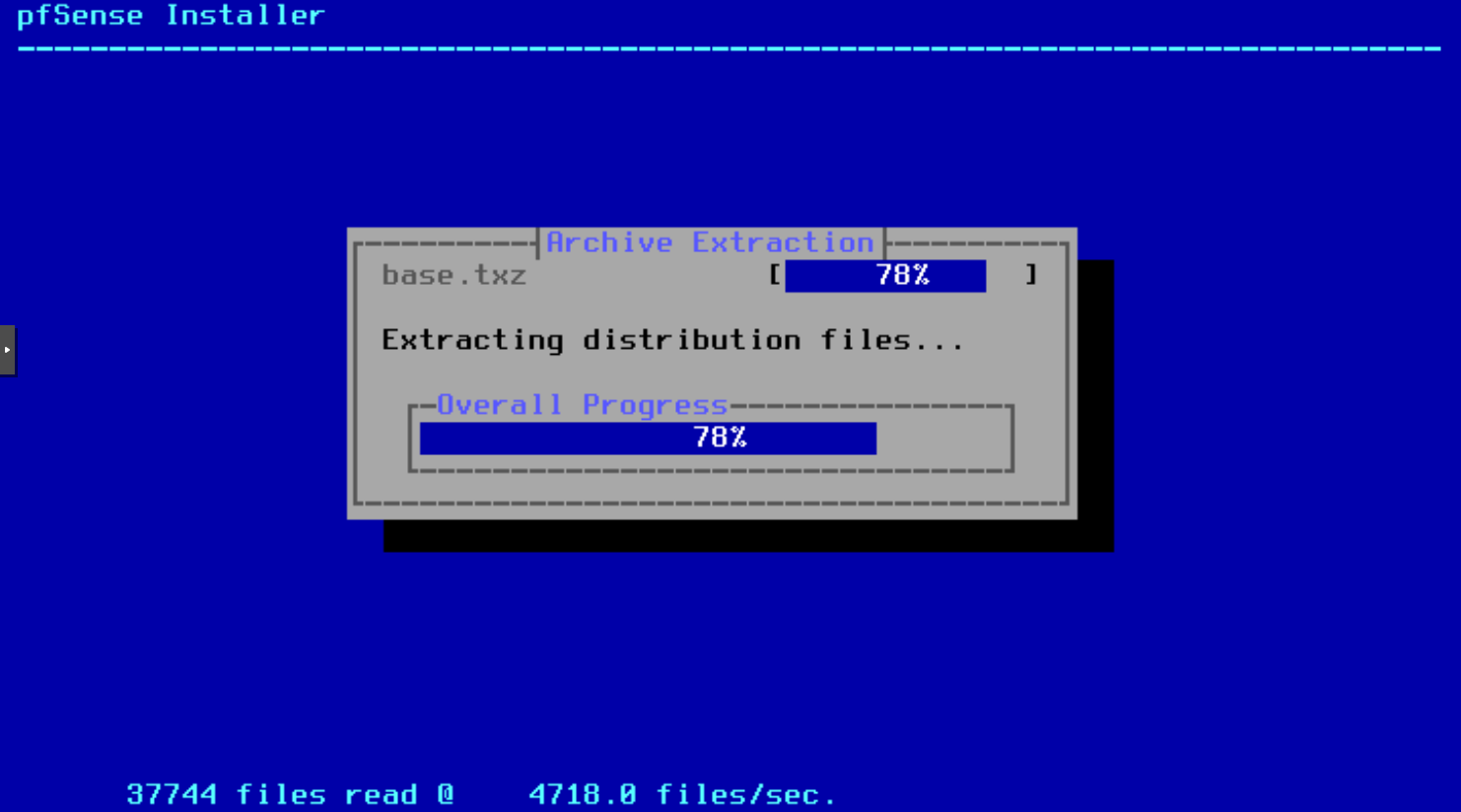
Getting the right pfSense ISO image was a pain. I got stuck in a loop configuring WAN and LAN networks on the router.
Turns out I needed the community edition, which wasn't on the main downloads page. That cost me a full day getting pfSense up and running on Proxmox. I eventually found it on Netgate's mirror: https://atxfiles.netgate.com/mirror/downloads/
WAN and LAN
This is where the magic begins.
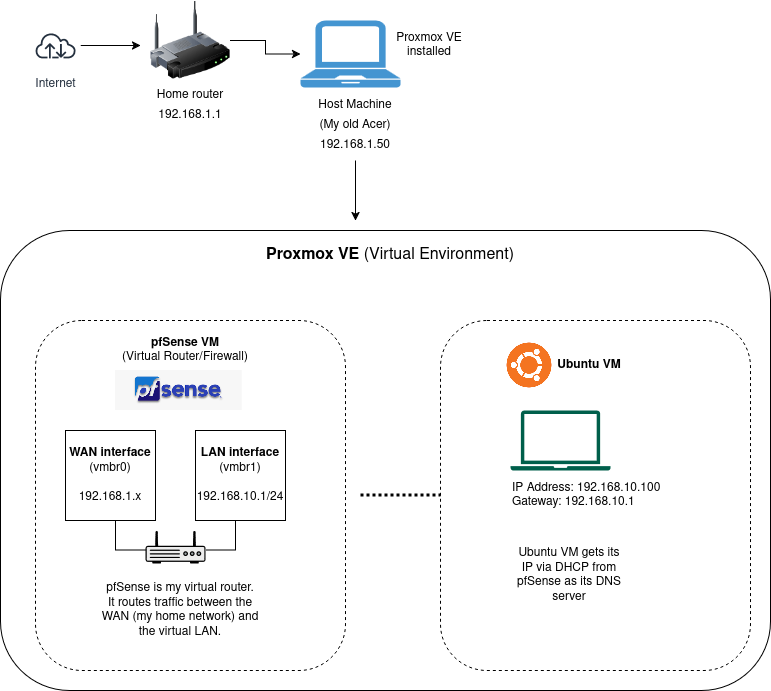
I've got my WAN set up, the host machine connected to my home router. On top of that, I created a VM in Proxmox running pfSense. This becomes my router: an isolated network environment where I can make and break things safely.
I then provision another VM with Ubuntu, which serves as my first "useful" virtual machine. From this Ubuntu machine, I can reach the router's web UI and make configuration changes to the virtual network on pfSense.
Rules and DNS
My Ubuntu VM can reach the internet and behaves like my physical laptop on WiFi. But I want to enforce all traffic, specifically DNS queries. In practical terms: when a user visits a website or runs a curl command using a human-readable domain (e.g. example.com), that domain maps to an IP address. The process of resolving that mapping is handled by a DNS server.
So when a request is made, the DNS server returns the IP address of the destination. Once that's known, the client (browser or terminal) can connect and retrieve the content.
For my setup, I need to ensure that DNS requests aren't going directly to public DNS servers, but instead flow through pfSense.
To achieve this, I configure clients in my virtual network to use the router as their DNS server. This ensures all DNS queries go through pfSense, allowing it to resolve domains, apply filtering rules, and provide visibility into DNS activity.
DHCP Server and NAT Rules
I configured the DHCP server on pfSense to advertise its interface IP as the DNS server for clients.
To verify DNS behaviour, I ran: nslookup google.com 8.8.8.8 from my Ubuntu VM while monitoring pfSense diagnostics for DNS traffic (port 53)... and nothing.
Then I checked the NAT port forwarding rules and sure enough no rules in place to redirect DNS traffic. To enforce DNS usage through pfSense, I added a NAT port forward rule for both TCP and UDP traffic on destination port 53, redirecting it to the pfSense DNS resolver.
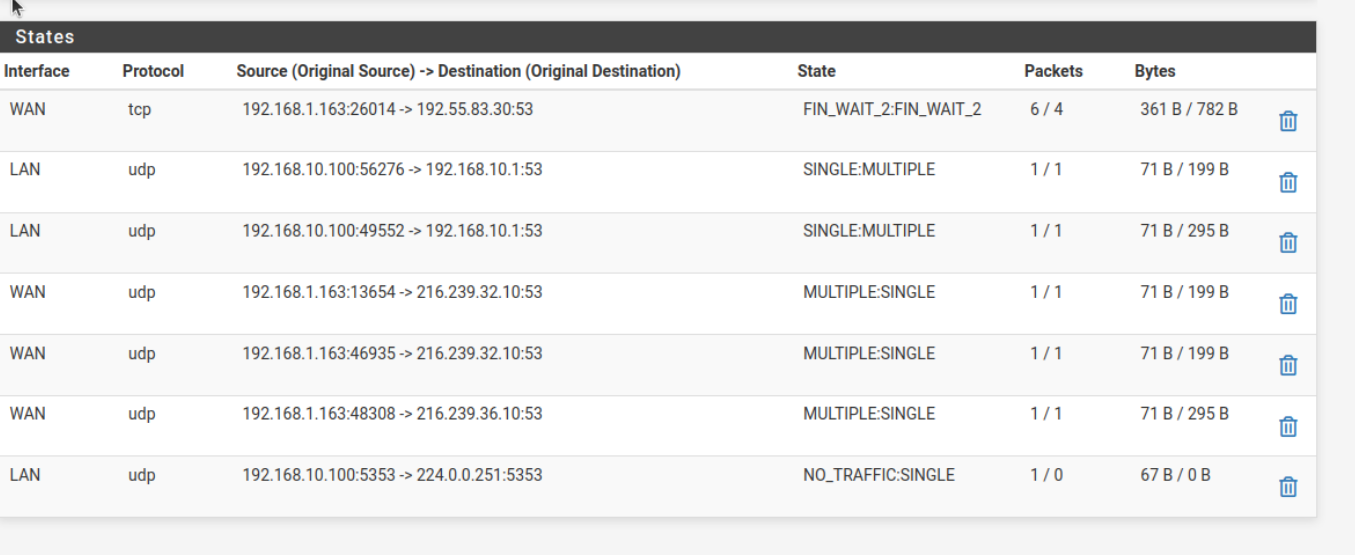
One more test with nslookup and I now I've got logs.
Traffic from my Ubuntu VM to the internet now goes through pfSense for DNS resolution, which in turn queries public DNS servers.
Next up will be logging and monitoring.